
Purus provides more BIM models that can now also
be customized.
With a more powerful MagiCAD Selection Tool, we continue to strengthen support for digital design in MagiCAD. Following the major expansion of the BIM library last autumn, we have now taken the next step. The significantly enhanced MagiCAD Selection Tool will make it easier, faster, and more precise to select and configure products directly within the design process
Quadrupled number of BIM models
The Purus BIM library in MagiCAD has grown significantly—from 183 to 764 BIM models. This gives HVAC consultants and building designers access to a much broader range of products, simplifying the design process and reducing the need for custom adaptations outside the software.
New Selection Tool – better overview and faster product selection
The upgraded Selection Tool delivers a clear improvement in user experience:
Products can now be sorted in several ways, for example by our seven clearly recommended installation areas and the products intended for each area, making the very first step easier.
Product images for each item, instead of just a text list in a dropdown menu, make it easier to find and select the right product in the next step.
Once a product has been selected, all that remains is to configure it according to the needs and specification requirements of the current project in order to generate the desired 3D model.
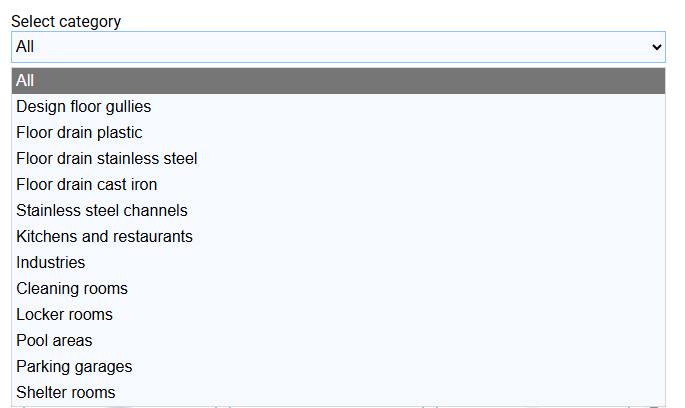
Otherwise, the workflow is familiar: you configure the product just as before, choosing floor type, grate, outlet position (center/end), and more.
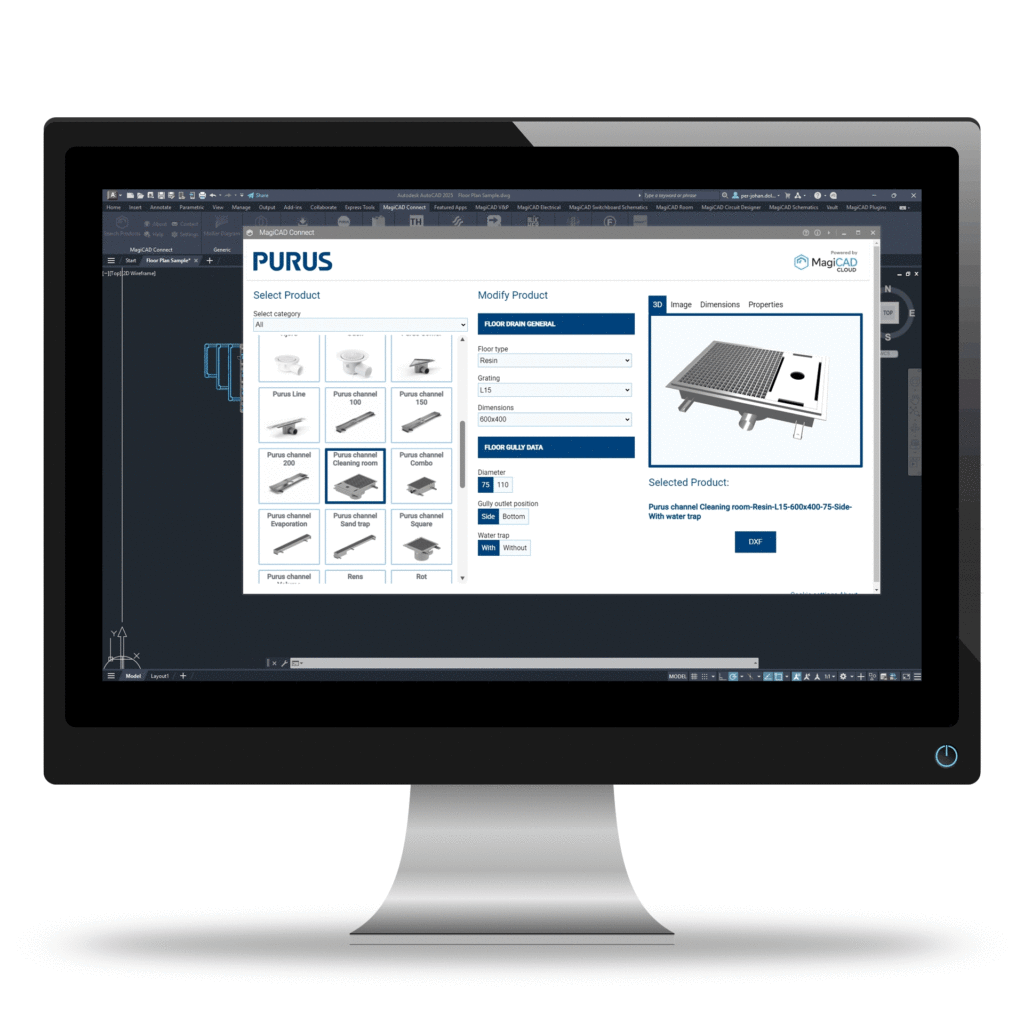
Customized dimensions – directly in the BIM model
One of the biggest updates for Purus’ range of stainless steel floor drains in MagiCAD is the ability to generate 3D objects in customized sizes for several of the product lines.
All standard drains in standard lengths, such as Purus channel Square, Combo, and Cleaning Room, are available.
Purus channel Sand Trap and Purus channel Evaporation can be modified in length and width; Purus channel Evaporate can also be adjusted in height.
Purus channel 100, 150, 200, and Purus channel Volume can be customized in both length and height.
Purus channel Volume and Evaporate can be generated with fully customized length, width, and height.
New products in the tool
The new Selection Tool also includes products that were not previously available. Purus channel 150, Cleaning Room, Evaporate, and Sand Trap are entirely new in the tool. Additionally, the plastic floor gullies Njord and Hild—who can be adjusted in height and angled to suit the installation—are now available in the new version.
More precision – less friction in the design process
With more BIM models, improved overview, and the ability to use customized dimensions directly in MagiCAD, the design process becomes more efficient. The result is fewer compromises, better coordination, and a smoother transition from design to installation.